

PIXILAB Blocks® combines display management, control system and mobile guide in a single solution. This versatile software is perfect for museums, (temporary) exhibitions, visitor centres and corporate demonstrations, enabling users to effortlessly design and manage rich, interactive experiences.
Content Management
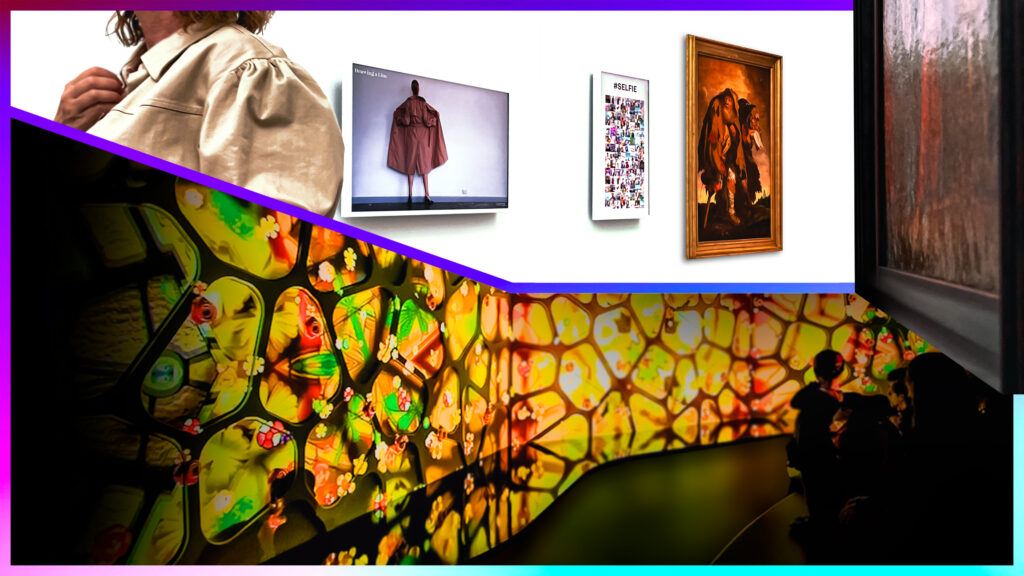
BLOCKS offers a user-friendly interface for composing content Blocks. Examples include videos, slideshows, books, compositions, web widgets, web pages and database-driven grids. You publish these Blocks to so-called SPOTS. A SPOT can be, for example, a display, touchscreen/kiosk, projector, mobile phone, tablet or specific location. Trigger it with sensors, a control panel or a schedule.
Personal visitor experience
A special feature is the ability to personalise the visitor experience using their own mobile device. Visitors can set their preferred language, take part in quizzes to collect points for a free drink, or find their way around the exhibition. All within Blocks and geared towards an optimal, personalised experience.
Control System
BLOCKS also acts as an advanced control system. Anything that can be controlled over a network can be easily managed with BLOCKS. Whether it’s lighting, home automation, sound systems or switching devices on and off, BLOCKS makes it possible. Create a custom panel on a touchscreen or integrate physical buttons and sensors to automate everything.
Licensing
The BLOCKS licensing model is flexible. In addition to the base licence, you decide how many display spots, visitor spots (mobile devices) or location spots you want to integrate. You can extend this with additional modules such as Live Video, Visitor Data Collection, Panorama, 3D or a Mirroring Service. Want to know more? Discover everything at www.pixilab.se.
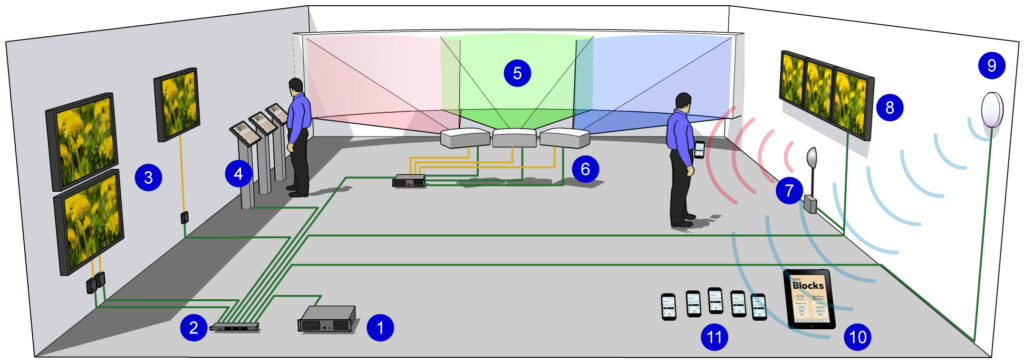
- PIXILAB Blocks Server
- Wired network
- Smart Displays with built-in players connected directly to the network
- Displays with separate players
- Interactive touchscreens
- Dataton WATCHOUT sub-system on a curved screen
- Projectors and other devices controlled and monitored over the network
- Control the lighting and home automation that are part of the exhibition
- Relays, switches and sensors are connected via standard interfaces
- WiFi network for internal control and/or public access
- Visitors’ mobile phones or loan devices for mobile guide applications
- Control panels for staff use